Published on 3 min read
Angular - Using a Single Subscription for Multiple Async Pipes
Subscribing to an observable once across multiple async pipes in Angular using the as keyword and a template variable.
The Issue
Let’s imagine we have an observable which fetches a list of users:
@Component({
  // Metadata
})
export class AppComponent implements OnInit {
  public users$: Observable<any>;

  ngOnInit() {
    this.users$ = of([
      { id: 1111, name: 'User 1', email: 'u1@dummy.com' },
      { id: 2222, name: 'User 2', email: 'u2@dummy.com' },
      { id: 3333, name: 'User 3', email: 'u3@dummy.com' }
    ]);
  }
}
All right. Suppose we need to display each user field in a separate list. But there is a constraint, each list will be displayed differently. Thus, the appropriate template could be:
IDs:
<ul>
  <li *ngFor="let user of users$ | async">{{ user.id }}</li>
</ul>

Names:
<ol type="1">
  <li *ngFor="let user of users$ | async">{{ user.name }}</li>
</ol>

Emails:
<ol type="A">
  <li *ngFor="let user of users$ | async">{{ user.email }}</li>
</ol>
Let’s check how many subscriptions would be created in that way by adding a log when a subscription is created:
this.users$ = of([...]).pipe(
  tap(() => console.info('Subscription is created'))
);
Here are the results of the Console:
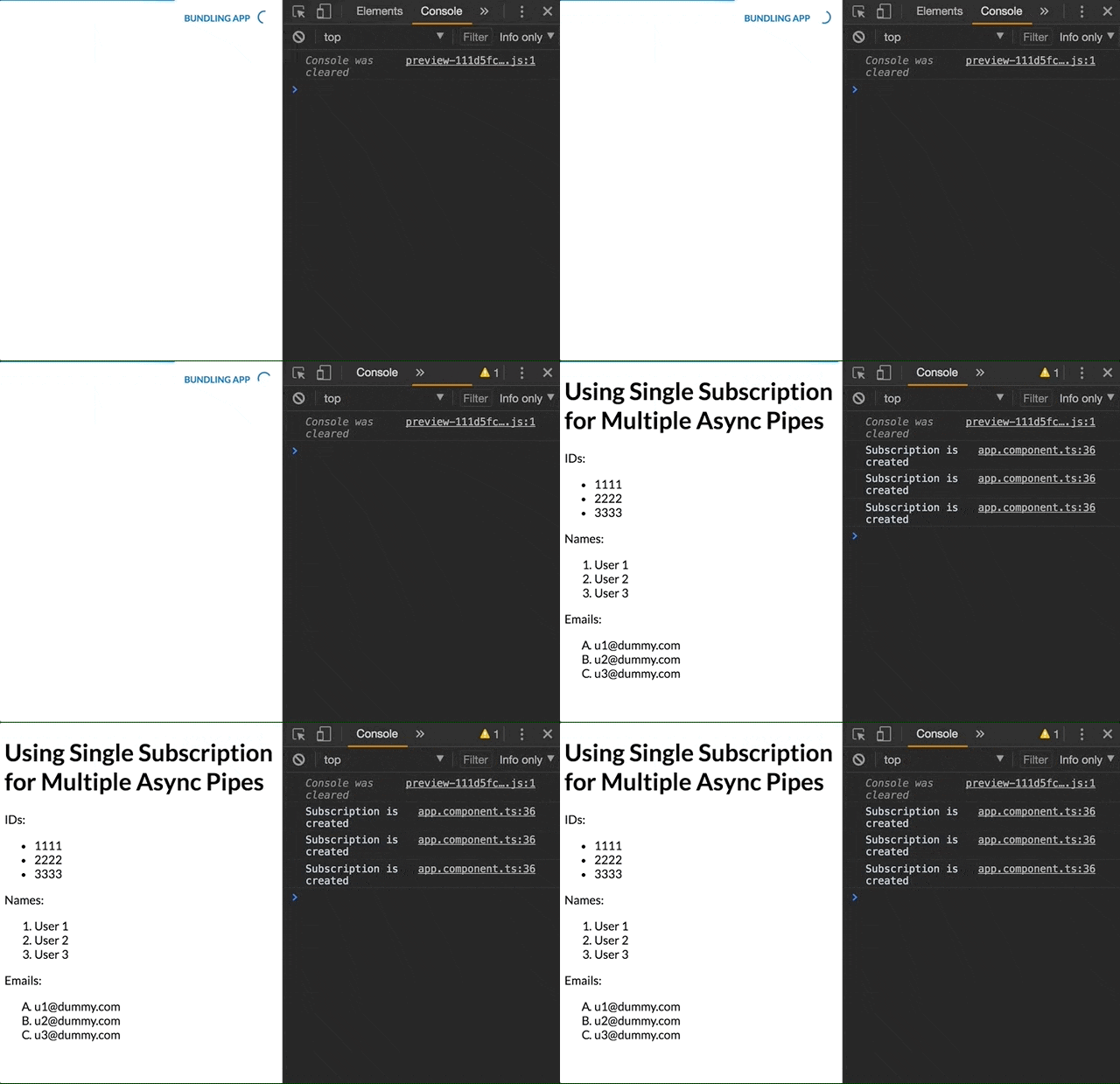
Well, we notice that each usage of async pipe creates another subscription. Although these are three different *ngFor, we’re talking about the same observable, so we’d expect that async pipe would use a single instance of a shared subscription.
In case there is an operator on the observable, for example, a map operator which does a heavy business logic like calculating - that operator will be executed for each subscription individually.
Let’s see how to create a single subscription for users$ but still be able to use its result for each list.
The Solution
Angular 4.0.0 introduced the as keyword. That keyword enables assigning a local variable in the component’s template. In other words, it means we’re able to use a variable (as much as we want) which points to the evaluated result of the async pipe.
Note: In general, assigning the result using the as keyword isn’t limited to the async pipe - it works with any pipe.
To bind a local variable with the template, we need to wrap the template with the ng-container directive.
In case that you’re not familiar with the ng-container - it’s just a wrapper that lets us group multiple DOM elements (without adding an additional element to the DOM) and apply a structural directive on these elements (such as *ngFor and *ngIf).
It’s time to use the as keyword:
<ng-container *ngIf="users$ | async as users">
  IDs:
  <ul>
    <li *ngFor="let user of users">{{ user.id }}</li>
  </ul>

  Names:
  <ol type="1">
    <li *ngFor="let user of users">{{ user.name }}</li>
  </ol>

  Emails:
  <ol type="A">
    <li *ngFor="let user of users">{{ user.email }}</li>
  </ol>
</ng-container>
Basically, what we do is to assign the result from the subscription as a local variable which is named users. Notice we need a structural directive in order to interpret the as keyword and for binding the users variable with the result from the async pipe. That’s the reason we use *ngIf.
If we’d like to use the users array for other purposes (for instance, printing its length) we could use the users variable as well - as long as it’s evaluated inside that ng-container scope.
Here’s the final result:
The Modern Syntax
Since Angular 17, the same idea can be expressed with the built-in control flow - the @if block creates a single subscription and exposes the result as users, without an extra ng-container:
@if (users$ | async; as users) {
  IDs:
  <ul>
    @for (user of users; track user.id) {
      <li>{{ user.id }}</li>
    }
  </ul>

  Names:
  <ol type="1">
    @for (user of users; track user.id) {
      <li>{{ user.name }}</li>
    }
  </ol>

  Emails:
  <ol type="A">
    @for (user of users; track user.id) {
      <li>{{ user.email }}</li>
    }
  </ol>
}
You’re welcome to share:
Enjoyed this post?
I’d love for you to follow me and join my newsletter.
Comments are powered by DisqusDetails
Loading comments activates Disqus, which collects information as a third-party service.
The site owner has no access to or control over the information collected by Disqus.
Related Posts

How to Sync a Design System with Claude Design
17 min read
Syncing React components into Claude Design with /design-sync: what the mirror holds, how it's verified and a step-by-step example with shadcn/ui, Tailwind v4 and Storybook.
Read post

ECMAScript - Introducing Deferred Module Evaluation with import defer
8 min read
Introducing the “import defer” proposal, a new ECMAScript import form that loads and links modules eagerly while deferring their evaluation until a namespace property is first accessed - currently at stage 3 in the TC39 process.
Read post

ECMAScript - Introducing BigInt Primitive in ES2020 (ES11)
5 min read
BigInt in ES2020 (ES11) - a new primitive for arbitrarily large integers, with its operators, comparisons and limits.
Read post